


Launched around July 3, CoMaps enters a space long dominated by Google’s navigation ecosystem. But it’s not trying to compete on size or features. Instead, the app focuses on simplicity, function, and user privacy. It doesn’t collect user data, doesn’t track movement, and doesn’t serve ads. As concerns around personal data and app overreach continue to grow, CoMaps offers an experience built entirely outside the logic of data monetization.
The developer’s goal with CoMaps is clear: to deliver full navigation capabilities without sacrificing battery life or user control. The app is a fork of Organic Maps, itself based on the earlier open-source project MapsWithMe, which eventually evolved into Maps.me before being acquired by the Maps.ru group in 2014. This lineage places CoMaps within a long-standing tradition of community-built tools using OpenStreetMap data.
Offline-First Approach Reduces Battery Use
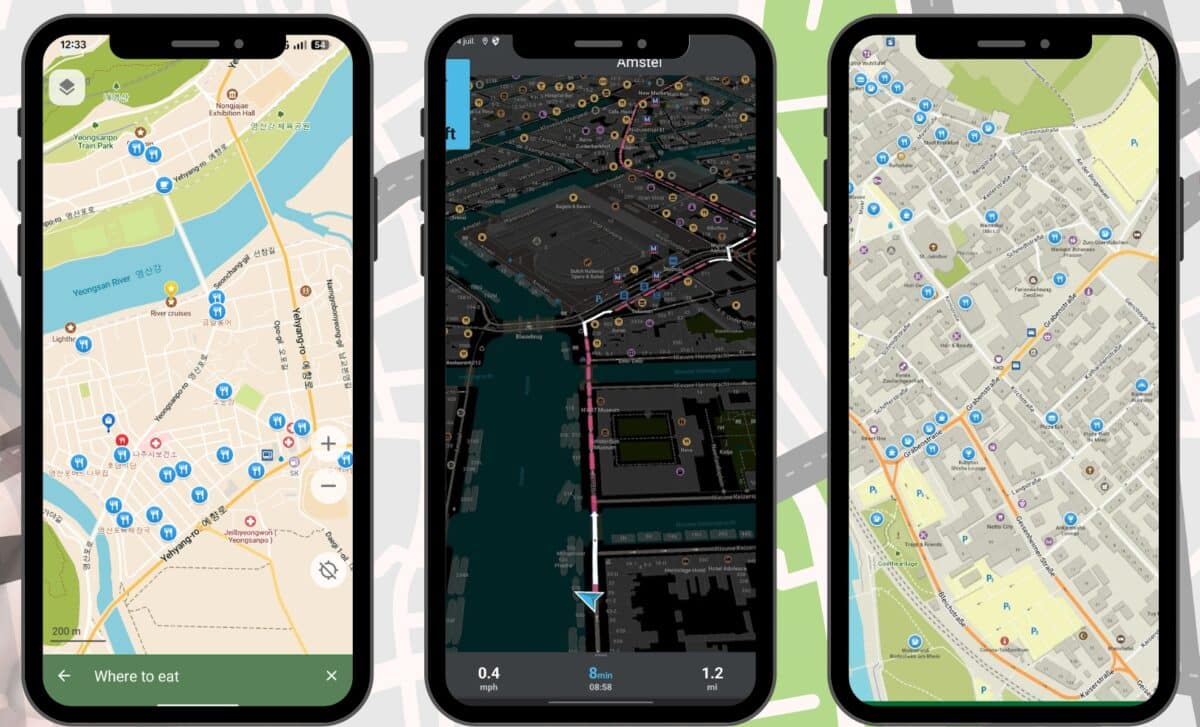
CoMaps sets itself apart by requiring users to manually download maps for the regions they want to use. This might sound inconvenient, but it brings several advantages. As ZDNET notes, downloading only the necessary maps avoids wasting storage space and eliminates the need for a network connection while navigating. Once maps are downloaded, users can access all features, including search, routing, and voice-guided turn-by-turn directions.
The app’s offline-first architecture also translates into improved battery performance. Many users, have reported that Google Maps drains battery faster than any other app on their phones. CoMaps, by avoiding constant background processes and live data use, significantly reduces power consumption. This makes it particularly useful for users traveling in areas with limited coverage, or those who simply want their phones to last longer during the day.
The setup process is straightforward. Users open the app, tap the three-line menu button, select “Download Maps,” and then choose the areas they need. Once downloaded, navigation works similarly to Google Maps. One small adjustment might be necessary: by default, CoMaps uses kilometers. To switch to miles, users can go to the Settings menu and select “Measurement units.”
Privacy Built Into the Design
Privacy is not a feature in CoMaps, it’s the foundation. The app collects no identifying data, tracks no user behavior, and stores nothing that can be linked back to a person. CoMaps has no analytics, no ads, and no background data sharing. This approach appeals to users, who described monthly Google activity reports as unsettling, saying the constant tracking is disturbing.
Beyond privacy, the app includes several additional features. Users can mark and save favorite locations, access offline Wikipedia articles, and view subway maps. The app also supports data import and export in KML, KMZ, and GPX formats. For contributors, there’s a built-in map editor, allowing users to help improve the underlying OpenStreetMap data directly within the app.
All of this is delivered in a lightweight, transparent package. CoMaps is entirely free and does not generate profit. The developers are not seeking to monetize the tool and instead rely on open-source contributions and community support.
A Clean, User-Friendly Experience
Despite its stripped-down infrastructure, CoMaps functions with an ease that makes the transition from Google Maps almost seamless. Once the required maps are downloaded, users can navigate, search, and plan routes just as they would in any mainstream navigation app. The interface is intuitive, and the core features, like voice directions, work reliably offline.
The app also includes an “outdoor mode” tailored for activities like hiking and cycling. This mode highlights hiking trails, campsites, fresh water sources, and other key outdoor waypoints. With a focus on utility rather than connectivity, CoMaps proves especially useful in natural settings or while traveling abroad without mobile data. For some users, CoMaps is already replacing Google Maps.